Case Study // Visibility Practice
Three Trees Yoga: Fix the Measurement Before the Message
A 90-day audit, analytics build, page rebuild, and photography program for a Federal Way yoga studio. What I found, what I fixed, what I can prove, and what I am deliberately not claiming yet.
Jul 13 – Oct 4, 2026
The Situation
Three Trees Yoga is a Federal Way, Washington studio. Its 200-hour Teacher Training is the program that drives the most revenue, and the goal for the year was a full February 2027 cohort. When the sprint started on July 13, 2026, the page carrying that enrollment funnel was dated, its hero photo was tied to former ownership, and nobody could say with evidence how people found it or what they did next.
The starting state, in plain terms:
- No analytics. Google Analytics 4 and Search Console had never been set up.
- Ads with no feedback loop. The Meta pixel recorded page views only. Ads were running, and there was no way to tie any of them to an application.
- Email failing quietly. Contact-form and system email was failing at 210+ failed sends in 30 days, so inquiries could vanish without anyone knowing.
- Neglected plumbing. Out-of-date core software, hosting storage clogged with old backups, uncompressed images, and a site reachable at both www and non-www addresses, which splits search credit.
- Photography working against the SEO. Marketing photos lived in a booking platform that shrinks every upload.
The job was not to make it prettier. It was to find out what was true, fix what was broken, and build the tracking so that any money spent afterward could be judged on evidence.
The Approach: Five Moves, In This Order
The sequence mattered more than any single task. Each step existed to make the next one trustworthy.
- Measure first.GA4 and Search Console went live in week one, with baselines captured before a single change was made. You cannot show improvement against a baseline you never took.
- Audit before touching anything.Full backup, then a complete inventory of WordPress, the MindBody booking platform, and the Meta pixel. Findings were logged before fixes began.
- Fix what silently loses leads.Email delivery, the duplicate site address, storage, and image weight. None of these are glamorous. All of them cost the studio inquiries or search visibility.
- Rebuild from the client’s own research.The studio owner had already run a student survey and built a messaging map and page mockup. The page structure was locked from her material, not mine.
- QA the tracking, then build campaign tracking before any spend.Verify that the numbers are right after launch, then wire the apply button to the ad platform so a future campaign can be judged on leads, not clicks.
The Timeline
Finding One: The Analytics Were Lying
Once GA4 had data, the first reports described a site with a large audience and weak engagement. That picture was wrong.
A traffic-quality check showed that about 75% of recorded GA4 users were automated traffic from Singapore, a market the studio does not serve. Across the full GA4 history, which begins in early July 2026, the real local audience was roughly 900 to 1,000 users. Reports that said “how many people visit your site” were counting machines, and the engagement metrics were being dragged down by visitors who were never going to engage.
What I did
Built a filtered comparison and confirmed the engagement picture changed sharply: 34% engagement unfiltered versus 66% excluding Singapore. Created a saved GA4 audience that excludes the traffic going forward. Confirmed Search Console data was unaffected, so search-performance baselines stayed clean.
The honest limitation: the exclusion is a country filter, which is a blunt tool. The saved audience only collects from the day it was created, so any comparison across the full baseline needs the country filter applied by hand. That caveat is written into the tracker so the next person does not forget it.
Why it matters: every downstream decision, which page to rebuild, whether ads are working, whether a change helped, sits on top of these numbers. If the base is wrong, everything built on it is guesswork with a chart attached.
What I Built and Fixed
Analytics
- GA4 property with three key events
- Search Console verified for the canonical www site, sitemap submitted, linked to GA4
- Client holds her own administrator roles on both
- Baselines captured before changes
Site Health
- Full backup before any change
- WordPress core update and PHP 8.2 → 8.4, tested in preview, with checkout and tracking verified after
- Unused plugins removed, plus a dead popup plugin that had no recoverable account
- Storage cleared without a hosting upgrade
- Site standardized on www with a 301 redirect
- Retired Universal Analytics tag removed
- Booking-widget script loads consolidated, fonts and images tuned, video and map load on scroll
- Website mail connection restored
- Contact-form subject lines and reply-to fixed
- Sender address moved off a mailbox that did not exist
- Email authentication (DKIM) published with the studio’s IT vendor, outdated key removed
- Authentication reports routed to the owner
- Changes verified with two independent tools
Teacher Training Page
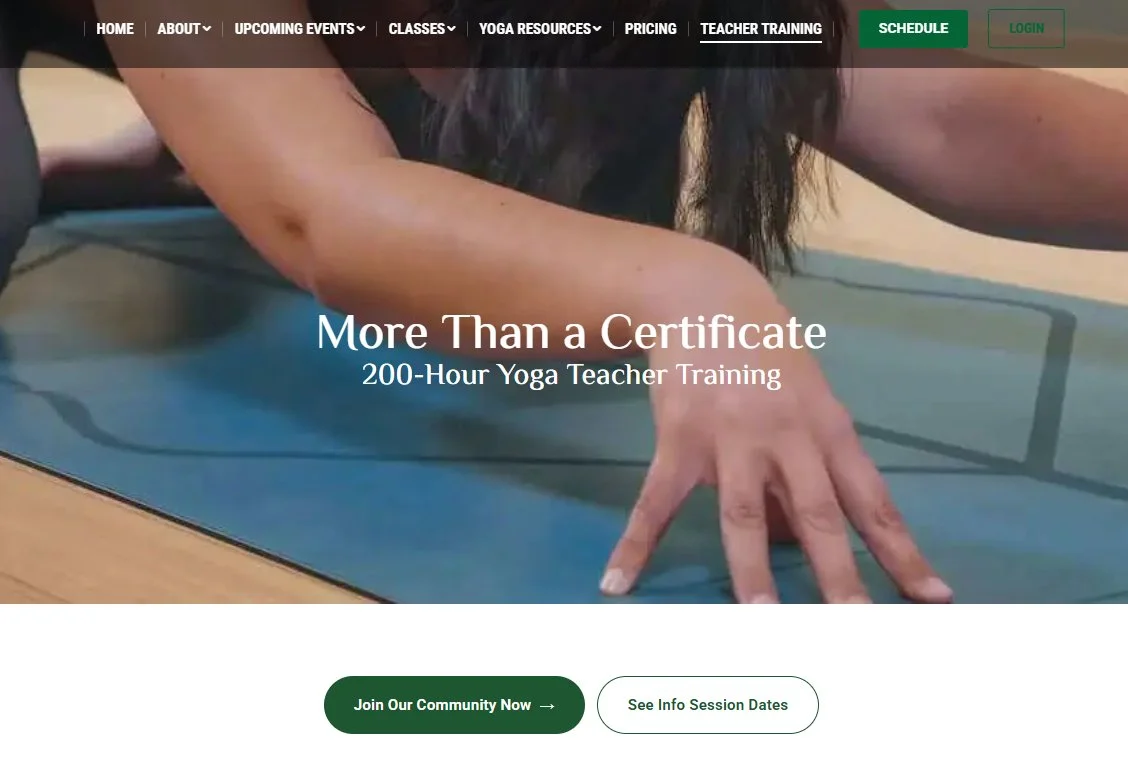
- Full rebuild: copy, layout, schedule, pricing presentation, testimonials
- New hero replacing a photo tied to former ownership
- “Learn More” button routed to info-session dates
- Duplicate section, confusing navigation dropdown, and wrong day-of-week references fixed
- Application form moved from a personal account to a studio-owned one
- Existing URL kept so the page keeps its search history
Photography
- Six faculty portraits across two sessions
- SEO filenames and embedded metadata, retained through optimization
- Hosted in WordPress, not the booking platform
- Tap-to-reveal bios that work on desktop and mobile
Campaign Tracking
- Meta Lead event fires on the page’s apply buttons, verified in Events Manager
- UTM scheme so every ad and audience can be identified in GA4
- Campaign plan with audiences, copy, and decision rules agreed before spend
The Page Rebuild: Built From the Client’s Own Words
The owner had already done the research most agencies bill for. She had surveyed past students, written a messaging map, and mocked up the page. Her students kept using the same ideas: community, belonging, all eight limbs of yoga rather than poses alone, and a program that fits a busy schedule. The rebuilt page leads with that language, because it is the language that already worked on the people who enrolled.
The build went to the owner as a draft on September 9, took a round of her revisions (faculty titles, sample schedule, hero, navigation), and went live September 21. The military-spouse funding video (MyCAA) was placed after the pricing section, where that question naturally arises. The rebuilt page was published at the existing address, so years of search history stayed attached to it.

Photography as a Search Asset
The audit turned up a quiet, expensive problem. The studio’s booking platform resizes every uploaded image to 200×200 pixels and does not preserve filenames or metadata. Any SEO work done on photos uploaded there is undone on arrival.
The Teacher Training page’s images lived in WordPress, where they could be controlled. So the six faculty portraits were shot against the studio’s existing ad-graphic style, processed with descriptive filenames and embedded metadata, and uploaded straight to WordPress. The optimizer was configured to compress and serve modern formats while keeping metadata intact, and I confirmed it stayed intact after optimization. In this project the photography was a build input, not decoration.
How I Measured It, and Where Measurement Stops

| What | How it was captured | Result so far |
|---|---|---|
| Search baseline | Search Console, prior 12 months, before the rebuild | 346 clicks / 15,609 impressions sitewide. Old Teacher Training page: 38 clicks, 3,166 impressions, average position 22.4. “Yoga teacher training” ranked about 23rd. |
| Page weight | PageSpeed Insights, before and after image optimization | 22.6 MB → 5.3 MB (−76%) from image optimization on 7/24, before the rebuild. |
| Page speed | Three runs per page and device, median reported | Teacher Training mobile score 37 → 33, with load-blocking scripts as the remaining bottleneck. |
| Post-launch traffic | GA4, bot traffic excluded | 37 sessions in the first post-launch week (US-only). |
| Applications | Studio-owned Cognito form, counted separately from GA4 | Baseline recorded before the campaign launches. |
A bug I introduced, and caught
On September 28–29, QA showed the Teacher Training page-view event firing twice per visit. An on-page script was duplicating a rule already set up in GA4 during week one. It was introduced during the sprint and caught in QA, the script was removed on September 29, and I verified the event fires once per view. Instrumentation introduces its own errors. The fix is to test after every tag change.
Known measurement limits, stated up front:
- The booking platform’s schedule runs in a frame GA4 cannot see into. Bookings come from the platform’s own reports, and a schedule-page view serves as a proxy.
- The Meta Lead event counts a click on an apply button. It is not a submitted application.
- Internal test visits are excluded from trend comparisons.
What I Learned
- Audit the dashboard before you trust it. The first analytics read described a site that did not exist.
- Platforms can silently undo your work. A booking platform’s image handling cancels SEO effort. Find out where an asset lives before you optimize it.
- Ownership is infrastructure. An application form on a personal account and a theme license nobody could locate are risks the owner could not see.
- Test every change you ship. My own tag duplicated an event. Only a post-launch QA pass found it.
- Scope honestly. Deferring the deeper speed fix as its own project was the right call. Squeezing it in would have hidden it.
- Start from the client’s research. Her survey and mockup shortened the build and kept the page in her students’ voice.
What This Case Study Does Not Claim
The page went live on September 21, so the sprint closed with roughly two weeks of post-launch data. The Meta campaign has not launched. This case study makes no claim about ad results, traffic growth, or enrollment, and it does not say any of this work caused any outcome. It describes what was built and what was measured. I will update it after the first campaign checkpoint, when there is real data to report.
What’s Next
The work continues into Q4 with a campaign for the February cohort. This page will be updated when results exist.
“Russell’s work on our webpage was exactly what was needed to jumpstart our marketing for our next teacher training. For a business owner who likes to know more details than most but also recognizes the value in engaging others with more expertise, Russell was the perfect partner. He explained the work he was doing in a way that I understood it and let me handle tasks that I felt I could, giving me step by step instructions, which also gave me just enough “behind the scenes” to understand the overall process and trust that Russell was putting us on the right path to success. Ultimately, I was able to say, “can you please just handle it” without hesitation, freeing me up to focus on the in person marketing. I am excited to see what results our new webpage brings in the coming months.”
 — Shawn Harju, Owner, Three Trees Yoga
What This Means for Your Business
Most visibility problems are measurement problems first. If your analytics are unaudited, your ads cannot be judged, and your photography is not working as search infrastructure, you are making decisions on numbers nobody has checked. If that sounds familiar, let’s talk.
> Initiate a Commercial Deployment